
McLuck Mobile App — 2025 Guide
Play 1,000+ slots on your phone. Download the McLuck app for iPhone or Android and access your full account — coins, redemptions, bonuses — anywhere.
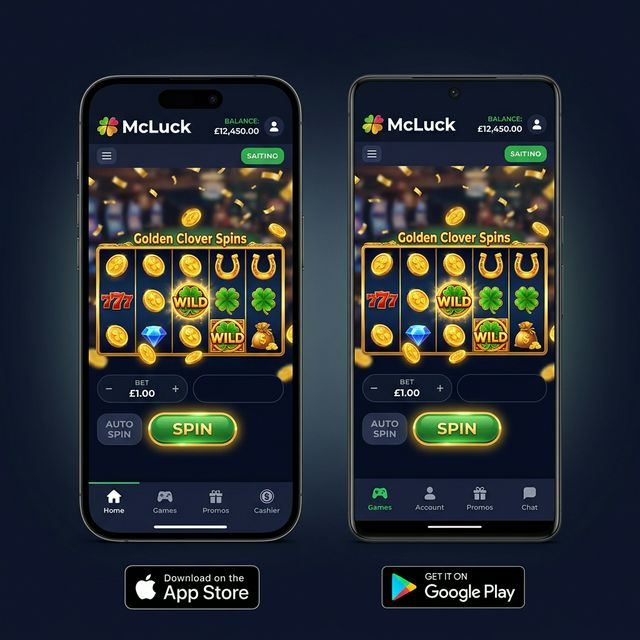
How to Download the McLuck App
Three ways to install McLuck on your device. All versions give access to the full game lobby, coin management, and SC redemptions.
Device Compatibility
| Platform | Minimum OS | Recommended | Storage |
|---|---|---|---|
| 🍎 iPhone | iOS 14.0 | iOS 16+ | ~120 MB |
| 📱 iPad | iPadOS 14.0 | iPadOS 16+ | ~120 MB |
| 🤖 Android Phone | Android 8.0 | Android 11+ | ~95 MB |
| 📟 Android Tablet | Android 8.0 | Android 11+ | ~95 MB |
What You Get in the McLuck App
How to Install McLuck APK on Android
If McLuck is not available in your region's Google Play Store, you can install the APK directly. This is officially supported and safe when downloaded from McLuck.com.
| Step | Action | Where |
|---|---|---|
| 1 | Visit McLuck.com on your Android browser | Chrome or Firefox recommended |
| 2 | Tap "Download App" button on the homepage | McLuck.com homepage |
| 3 | When prompted, tap "Download Anyway" | Browser security dialog |
| 4 | Go to Settings › Apps › Special App Access | Android Settings |
| 5 | Enable "Install Unknown Apps" for your browser | Android Settings |
| 6 | Open the downloaded .apk file and tap Install | Android File Manager |
| 7 | Sign in with your existing McLuck account | McLuck app login screen |
McLuck Mobile App — Full 2025 Review
The McLuck mobile app brings the full sweepstakes casino experience to iOS and Android devices. With a 4.6★ rating on the App Store and 4.5★ on Google Play as of March 2025, it ranks among the top-rated social casino apps in North America. All 1,000+ games are available through the app, including the platform's most popular titles: Buffalo King Megaways, Sugar Rush 1000, and Gemhalla. Discover what makes these games stand out on our McLuck games guide.
iOS App — Smooth Performance on iPhone
The McLuck iOS app was rebuilt in 2023 with native Swift UI components, delivering noticeably faster load times compared to the previous WebView-based version. On an iPhone 14 Pro, games load within 2–3 seconds over a 5G connection. Touch controls are fully optimized — swipe gestures navigate between game categories, and auto-spin can be set with a single long press. The app supports Face ID and Touch ID for instant secure login.
Android App — Google Play and APK Options
McLuck on Android is available through the Google Play Store for most countries and as a direct APK download for regions where the Play Store listing isn't available. The APK is signed by McLuck LLC and is safe to install following the steps above. Android performance is strongest on devices running Android 11 or higher with at least 3GB RAM. Older devices running Android 8 may experience occasional frame drops on high-volatility Megaways games. Visit our McLuck World homepage for the current direct download link.
In-App Purchasing and Redemption
Gold Coin packages can be purchased directly within the app using Apple Pay (iOS), Google Pay (Android), Visa, or Mastercard. Sweeps Coin redemption requests can also be submitted in-app — navigate to Account › Redeem, enter the amount (minimum 50 SC), and submit. Processing takes 3–5 business days for PayPal and 1–2 days for gift cards. Full details in our McLuck withdrawal guide.
Comparing McLuck App to Browser Play
The app and browser versions of McLuck share the same game library and coin balances. The primary advantage of the app is push notifications for bonuses, faster initial load (cached assets), and native payment flows (Apple/Google Pay). The browser version works well on any device but lacks push notifications. For players who log in daily to collect McLuck login streak bonuses, the app's notification system is particularly valuable.
Explore the full platform overview at mcluck.world, including our breakdown of the VIP loyalty program and social casino model. The McLuck app is the fastest way to access all these features on the go.